
AutoIT
AutoIt v3 is a freeware BASIC-like scripting language designed for automating the Windows GUI and general scripting. It uses a combination of simulated keystrokes, mouse movement and window/control manipulation in order to automate tasks in a way not possible or reliable with other languages (e.g. VBScript and SendKeys). AutoIt is also very small, self-contained and will run on all versions of Windows out-of-the-box with no annoying “runtimes” required!
Basic commands:
Send: Sends simulated keystrokes to the active window.
Sleep: Pause script execution.
Run: Runs an external program.
A comment for AutoIT script is “;” symbol in front of the line
Reference more details : https://www.autoitscript.com/autoit3/docs/functions.htm
Simple Script
Run(“c:\Windows\System32\cmd.exe”)
Sleep(1600)
Send(“mkdir Demo”)
Sleep(1600)
Send(“{Enter}”)
Sleep(1600)
Send(“cd Demo”)
Sleep(1600)
Send(“{Enter}”)
Sleep(1600)
Send(“fsutil file createnew demo.txt 10000”)
Sleep(1600)
Send(“{Enter}”)
Sleep(1600)
Send(“demo.txt”)
Sleep(1600)
Send(“{Enter}”)
Sleep(1600)
WinWaitActive(“demo – Notepad”)
Sleep(1600)
Send(“This is some Simple Script.”)
WinClose(“demo – Notepad”)
Sleep(900)
Send(“{Enter}”)
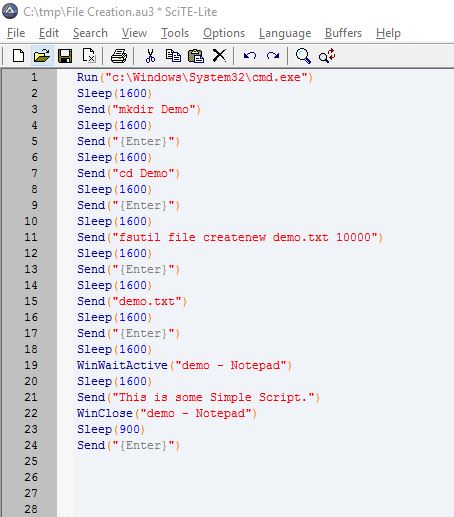
Expected Output Video:
The AutoIT script will do below steps:
The AutoIT script will do below steps:
Step 1:It will create new folder (“Demo”)
Step 2: Move to created folder (“Demo”)
Step 3:Create a new text file and open it
Step 4:I will write “This is some Simple Script.” text and save it
Step 5:Close Text file.
 SecureArmors
Leave a comment