
Checkpoint Smart Console License Expired issue.
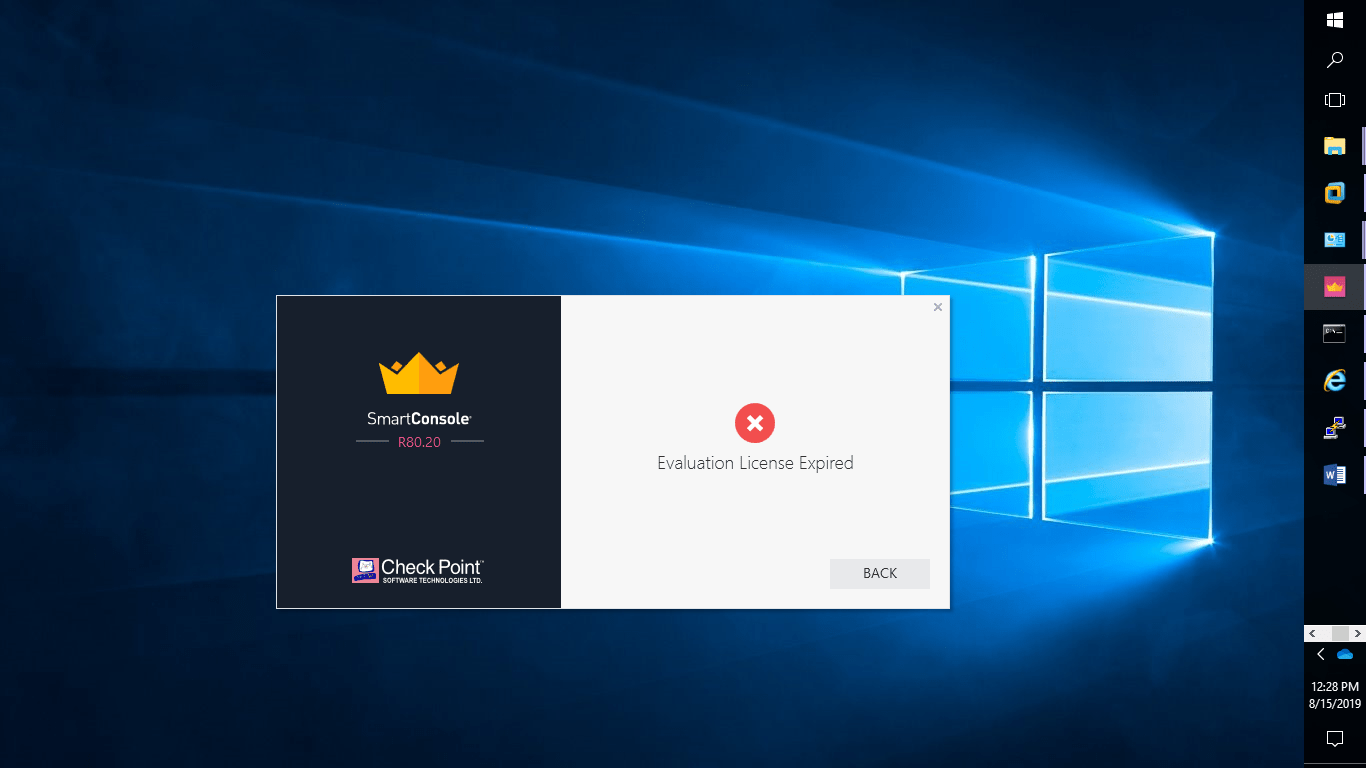
Step 1: login or register with checkpoint https://usercenter.checkpoint.com
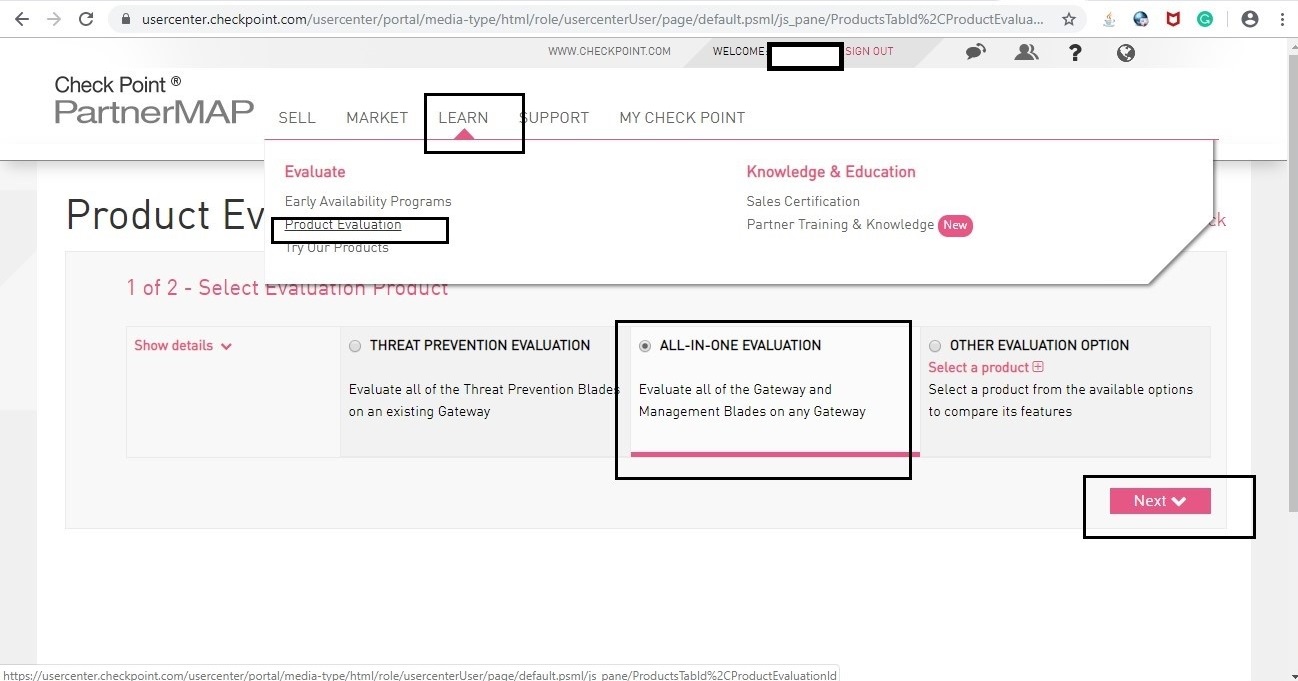
Step 2: Follow Screenshot: Go to Learn –> Product Evaluation –>All-IN-ONE Evaluation –>Next
Step 3: Provide all required details
Note: license based on your Management IP. I have provided a smart1 IP address.


Step 4: log in to the Smart1 SSH terminal run command which you find in the user center site. Or
Step 5: Now login to the smart1 console using existing user credentials.
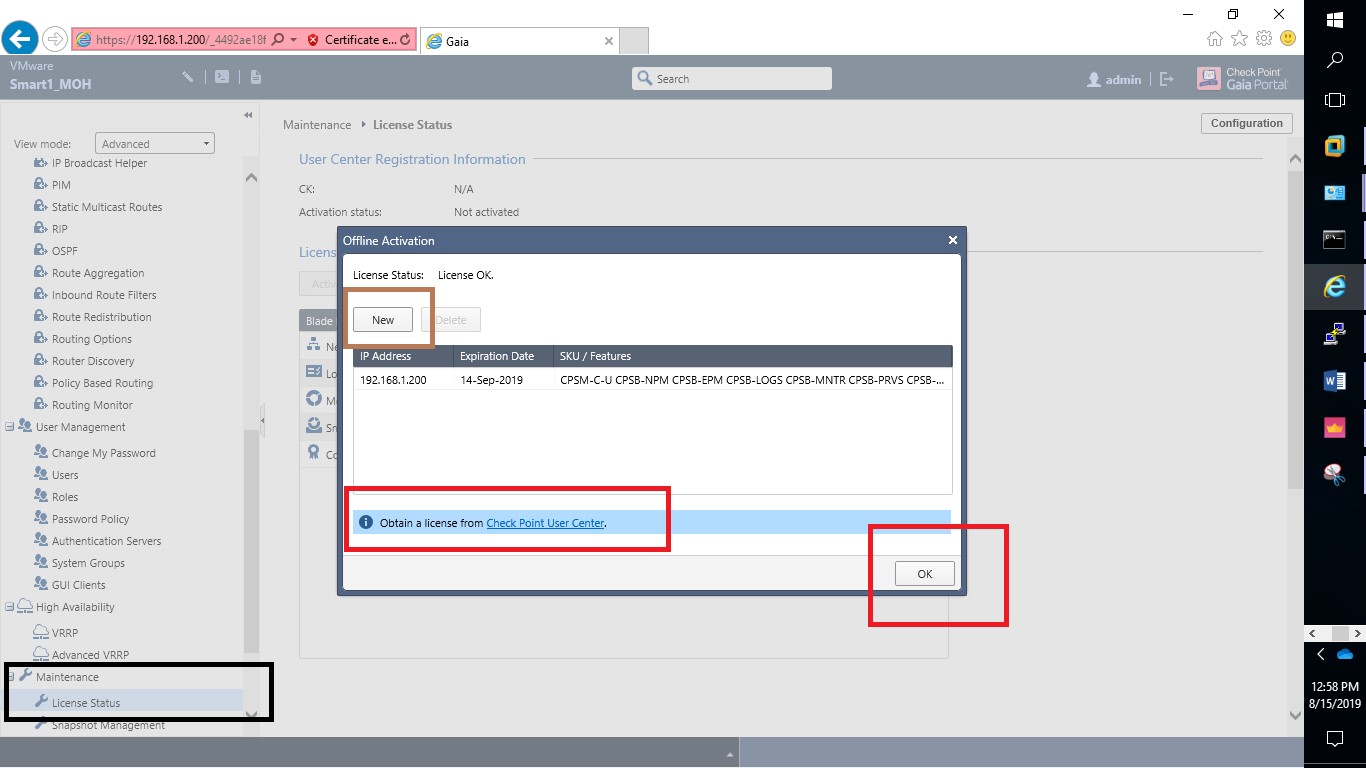
Step 6: Verify license activation details


 SecureArmors
Leave a comment